
Choosing a gaming motherboard in 2026 involves more than just picking a brand. The right board depends on the processor you intend to use, the features you need, and your budget. With new chipsets from both Intel and AMD available on the UK market, understanding the differences can help you make a confident choice. This guide breaks down the key factors to consider when you set out to choose a gaming motherboard in 2026, with advice tailored to UK builders.
Start with the Right Chipset
The chipset determines which CPU generation your motherboard supports and what features are included. In 2026, Intel and AMD have clear chipset tiers that correspond to performance and price.
Intel Chipsets: Z890, B860, and H810
Intel’s flagship chipset for 2026 is the Z890, designed for Intel Core Ultra processors. This chipset supports PCIe 5.0, DDR5 memory, and often includes Wi-Fi 7 and Thunderbolt 4 on premium boards. For most gamers who don’t need extreme overclocking, the B860 chipset offers a strong mid-range option. H810 is the budget entry point, suitable only for very tight budgets where cost is the primary concern.
AMD Chipsets: X870E, X870, B850, and B840
AMD’s highest-end chipset is the X870E, followed by the X870. These boards work with Ryzen 9000 and 7000 series processors on the AM5 socket. For mid-range builds, the B850 chipset provides excellent value and is widely recommended by UK reviewers. B840 is the budget-tier offering for AMD systems. Both platforms – Intel and AMD – offer similar performance segmentation, so the choice often comes down to processor preference.
Match the Socket to Your Processor
The socket physically connects the motherboard to the CPU, and you must pick the one that matches your chosen processor.
AMD Sockets: AM5 and Legacy AM4
AMD’s current socket for high-performance gaming is AM5, which supports Ryzen 7000 and 9000 series chips. AM4 is an older socket still used for Ryzen 5000 and 3000 series processors. If you are building a new system in 2026, AM5 is the forward-looking choice, as it supports DDR5 memory and PCIe 5.0.
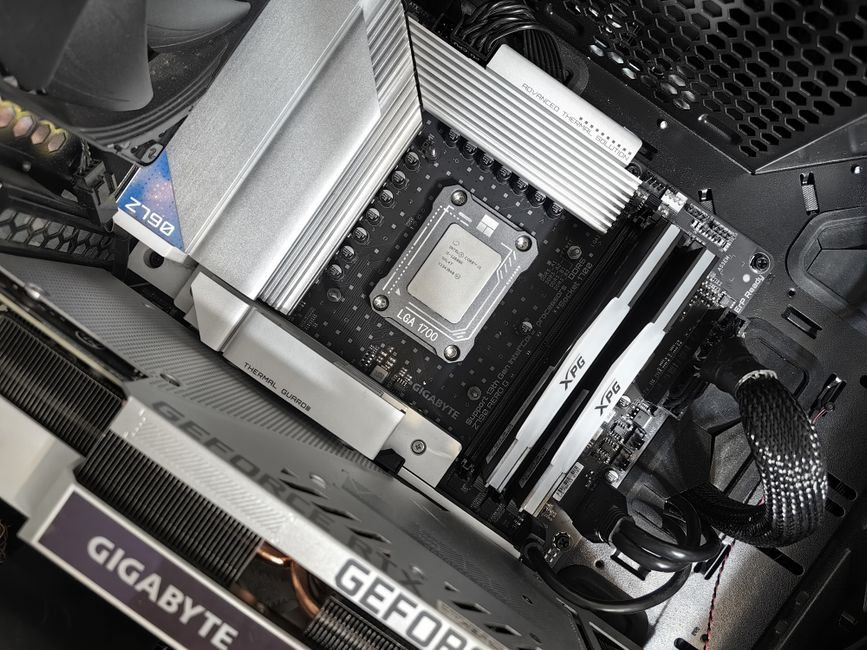
Intel Sockets: LGA1851 and LGA1700
Intel’s latest socket is LGA1851, used for Core Ultra 200S processors. Earlier 12th, 13th, and 14th Gen chips use LGA1700. When you choose a motherboard, ensure the socket matches your CPU generation. The Z890 and B860 chipsets require LGA1851, while Z790 and B760 use LGA1700.
Pick the Right Form Factor
Motherboards come in different sizes that affect how many expansion slots and ports you get, as well as the case you can use.
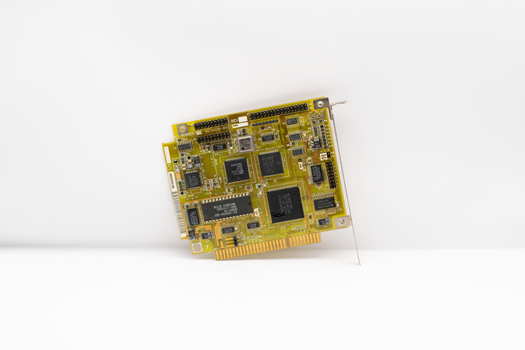
The main form factors are E-ATX, ATX, Micro-ATX, and Mini-ITX. ATX is the standard size and offers the most slots for graphics cards and storage. Micro-ATX boards are slightly smaller and often more affordable. Mini-ITX boards are designed for small-form-factor (SFF) builds and are popular among builders who want a compact gaming PC. Mini-ITX boards usually have fewer RAM slots and expansion options, so check your needs before choosing a smaller board.
Key Features to Look For
Modern motherboards include convenience features that can make building and using your PC easier.
Memory Support: DDR5 vs DDR4
Newer boards for AM5 and LGA1851 support DDR5 memory, which offers higher bandwidth and better performance in modern games. Older platforms such as AM4 and LGA1700 may support either DDR4 or DDR5 depending on the specific chipset and board. If you are buying a new system in 2026, DDR5 is the standard choice.
PCIe Gen 5 and Backward Compatibility
PCIe Gen 5 is available on many 2025 and 2026 motherboards, offering double the bandwidth of PCIe Gen 4 for graphics cards and NVMe SSDs. PCIe Gen 5 devices are backward compatible with PCIe Gen 4 slots, so you can use an older GPU or SSD while upgrading later.
Build-Friendly Design Elements
Many current motherboards include features that simplify installation. Look for tool-free SSD heatsinks, an easy-release GPU mechanism, a POST code display for troubleshooting, and a clear-CMOS button. These small details save time during assembly and make system maintenance easier.
Connectivity: Wi-Fi 7, Thunderbolt 4, and ATX 3.1
High-end boards from brands such as MSI now offer Wi-Fi 7, Thunderbolt 4, and ATX 3.1 readiness. Wi-Fi 7 provides faster wireless speeds, Thunderbolt 4 supports high-speed peripherals and external storage, and ATX 3.1 ensures compatibility with the latest power supply standards. Not every board includes all these features, so check the specifications carefully.

Budgeting for Your Motherboard in the UK
Motherboard prices in the UK vary widely depending on chipset, form factor, and feature set. Budget options start around £90. Mid-range boards typically cost between £150 and £300. High-end flagship models can exceed £300, with some reaching £700 or more.
For a balanced gaming build, the B860 or B850 chipsets provide excellent value. If you are building a high-end system with an Intel Core Ultra or AMD Ryzen 9000 series CPU, investing in a Z890 or X870E board unlocks the best features. For those on a very tight budget, H810 (Intel) or B840 (AMD) boards offer the essentials at the lowest cost, though you may sacrifice some expandability and performance headroom.
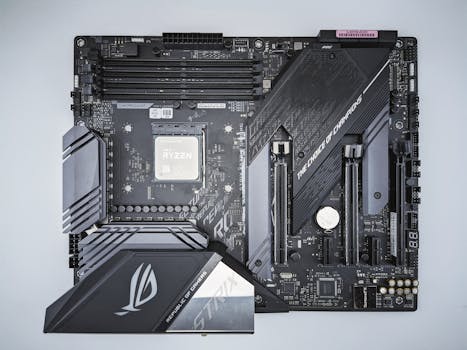
Recommended Motherboard Categories for UK Gamers
UK hardware reviewers have grouped the best motherboards by socket and price range. For AMD builds, you can find categories such as Best AMD overall, Best AMD high-end, Best AMD mid-range, Best AMD under £300, Best AMD budget, and Best AMD Mini-ITX. For Intel systems, the categories include Best Intel overall, Best Intel mid-range, and Best Intel budget.
Notable models mentioned in UK reviews include the MSI MAG X870 Tomahawk WiFi and the Asus ROG Maximus Z790 Hero. MSI’s Z890 series is built for Intel Core Ultra processors, while the X870E series is optimised for AMD Ryzen chips. MSI itself notes that its motherboards have won more than 30 prestigious awards and received over 400 media reviews.
If you prefer a smaller build, Mini-ITX options are available for both AMD and Intel platforms. These compact boards allow you to build a powerful gaming PC in a small case, though they typically have fewer ports and only two RAM slots.
Frequently Asked Questions
What is the best budget motherboard for gaming in 2026?
For tight budgets, H810 and B840 chipsets are the most affordable options. UK reviewers suggest that budget-friendly boards start around £90. For AMD systems, the B840 chipset offers basic gaming support. For Intel, H810 boards are suitable for entry-level builds where cost is the main concern.
Should I choose an AMD or Intel motherboard for gaming?
Both platforms perform similarly at the same price tier. AMD’s AM5 socket supports Ryzen 9000 and 7000 series and offers future upgrade potential. Intel’s LGA1851 socket works with Core Ultra 200S processors. Your choice should be based on which CPU gives you the best performance for your budget and the features you need.
Do I need a motherboard with PCIe 5.0 for gaming?
PCIe 5.0 is not essential for current gaming, as even high-end graphics cards do not saturate PCIe 4.0 bandwidth. However, PCIe 5.0 provides future-proofing for next-generation GPUs and SSDs. If your budget allows, a board with PCIe 5.0 support is a worthwhile investment for a build that will last several years.
Is Mini-ITX a good choice for a gaming PC?
Mini-ITX boards are excellent for compact builds where desk space is limited. They support the same CPUs and high-end graphics cards as larger boards, but they have fewer expansion slots and sometimes limited RAM options. If you do not need multiple PCIe cards and can manage with two RAM modules, Mini-ITX offers a clean, small gaming system.
Can I use DDR4 memory on a 2026 motherboard?
It depends on the socket and chipset. Newer platforms such as AM5 and LGA1851 only support DDR5. Older sockets like AM4 and LGA1700 may support either DDR4 or DDR5, but you must buy a board specifically designed for your memory type. Always check the motherboard’s specifications before purchasing RAM.